
Every piece of work, in one place.
RelOnion's Task Manager is the second heart of the platform — where every work order, preventive maintenance, inspection, and lube round lives. Planned, scheduled, assigned, and closed out with proof.
Plan, don't chase
Recurring PMs generate themselves. The right task appears on the right day, assigned to the right person — before it becomes a breakdown.
Reactive vs. planned at a glance
See your reactive-to-planned ratio in real time. The single most important reliability metric, tracked automatically.
Proof of completion
Every task closes with a completed checklist, time log, and findings. Not just 'done' — done with evidence.
What the Task Manager does
From a 5-minute lube round to a full plant shutdown — planned, scheduled, assigned, and closed out with proof.
Work orders & tasks
Create, assign, and track every piece of work — from a 5-minute lube to a full shutdown. Reactive, preventive, and corrective all in one list.
Preventive maintenance schedules
Set recurring PMs on any interval — daily, weekly, monthly, by runtime hours, or by condition. RelOnion generates the next task automatically.
Calendar & scheduling
See every task on a shared calendar. Drag to reschedule, color-coded by priority and type. Never overload a day or miss a deadline again.
Assignments & crews
Assign tasks to technicians or crews. See each person's workload, skill match, and availability before you hand out the work.
Priorities & criticality
Priority levels tie to asset criticality. High-priority tasks on critical assets surface first — so the important work never gets buried.
Checklists & forms on tasks
Attach forms and checklists to any task type. Technicians complete them on mobile, step by step, with required fields enforced.


The task list
Every task and work order in one filterable list — reactive, preventive, corrective. Sort by priority, due date, assignee, or asset. Click to open the full task.


Calendar & scheduling
A shared calendar view of all work. See who's doing what, when. Drag to reschedule, spot conflicts, and keep the team balanced across the week.

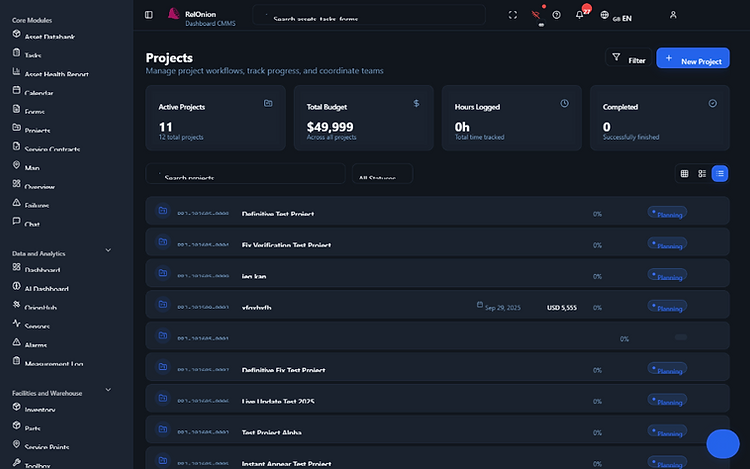
Projects & shutdowns
Group related tasks into projects — planned shutdowns, capital work, turnarounds. Track the project's progress, budget, and task completion in one view.
From list to done — on the floor
Filter the day's work, open an escalated task, and execute it step by step — all on mobile.

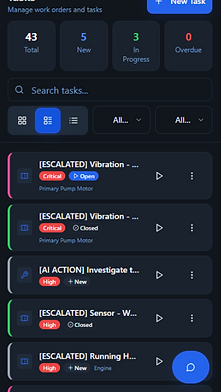
Task list & filters
Every work order in one filterable list — priority badges, status, asset, and a running timer on each card.

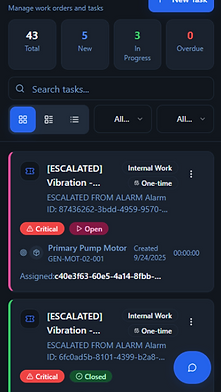
Escalated work orders
Alarm-escalated and AI-actioned tasks surface with full context — alarm ID, asset tag, and assignment trail.


Task execution on mobile
Step through locations, start and stop the timer, and navigate the checklist — with a live map preview.
Your day's work in your pocket
Technicians see their assigned tasks for the day, complete checklists step by step, and log time and findings — all on mobile, all offline.
- See today's assigned tasks
- Complete checklists step by step
- Log time, parts, and findings
- Works offline, syncs when reconnected



Stop chasing. Start planning.
See how RelOnion's Task Manager turns reactive chaos into a planned, scheduled, and proven reliability program.
Book a Demo