Know where every part is, down to the serial.
RelOnion tracks warehouse stock across every location — parts and assemblies, serialised units, issues, transfers, and value. With low-stock alarms and a full transaction ledger, the warehouse stops being a black box.

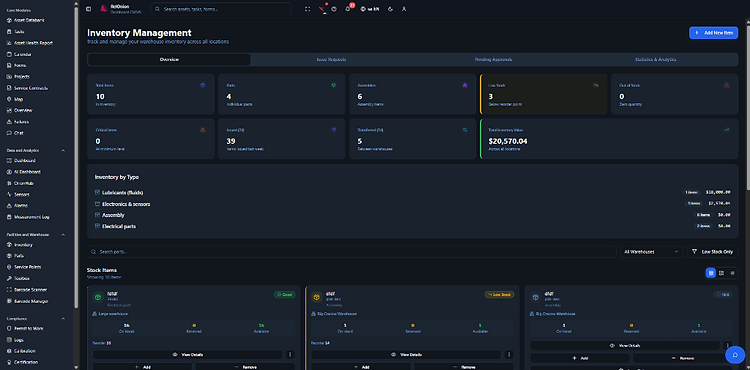
Stock across locations
One view of every warehouse. See total items, low stock, and critical items across the whole estate at a glance.
Approve before it moves
Issue requests and transfers need a warehouse manager's sign-off. Nothing leaves the shelf without a record.
Catch the shelf warmers
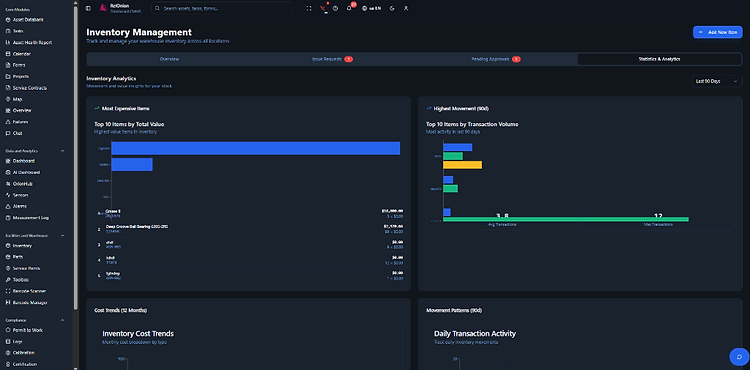
Analytics flag items that haven't moved in 90+ days — and the capital tied up in them. Stop paying to store dust.
What Inventory Management does
Stock, serials, issues, transfers, and analytics — linked to your assets, tasks, and work orders.
Multi-warehouse stock
Track on-hand, reserved, and available quantities across every warehouse. Move stock between locations with a full approval trail.
Serial-number tracking
Every unit can be serialised. Know exactly which bearing, sensor, or assembly is where — and which one was issued to which task.
Low-stock alarms
Set min, reorder, and max levels. The system flags low stock, critical stock, and overstock automatically — before it bites you.
Issues & transfers
Request stock against a task or work order, or transfer between warehouses. Every move needs approval, every move is logged.
Parts & assemblies
Distinguish individual parts from multi-component assemblies. Track value, cost per item, and total stock value per SKU.
Full transaction ledger
Issue out, transfer out, receipts — date, quantity, serials, destination, reference, and user. Audit-ready by default.
Every item, a complete record
Three tabs deep — stock, transactions, and serial-level locations. This is what full traceability looks like.

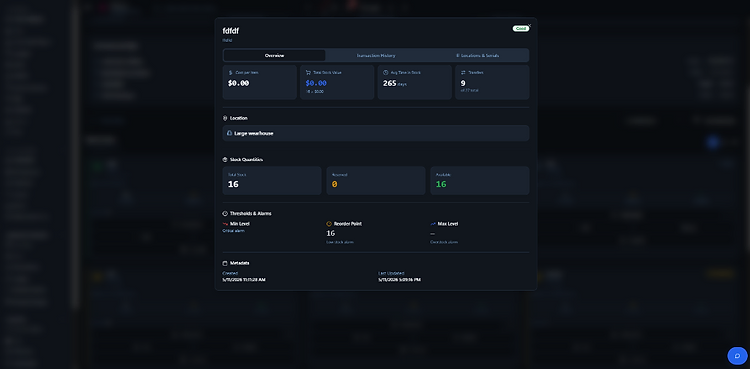
The full stock picture, one screen
Cost per item, total stock value, average time in stock, and transfer counts. Stock quantities split into on-hand, reserved, and available — with min/reorder/max thresholds that trigger low-stock and overstock alarms automatically.
Nothing moves without a paper trail
Request stock against a task, or transfer between warehouses. A manager reviews and approves — and every move is logged to the transaction ledger.

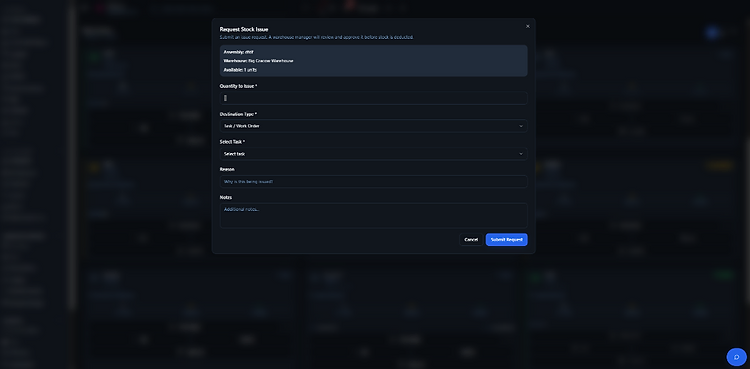
Request a stock issue
Pick the item and warehouse, set the quantity, link it to a task or work order, and add a reason. A warehouse manager reviews and approves before stock is deducted.

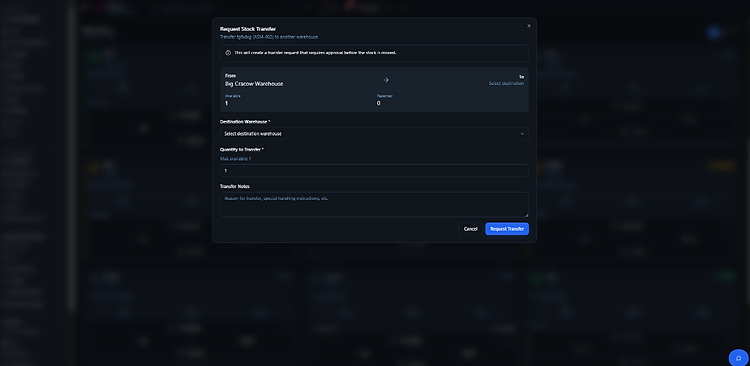
Request a transfer
Move stock from one warehouse to another. Set the destination and quantity — the system creates an approval request and reserves the units until it's signed off.

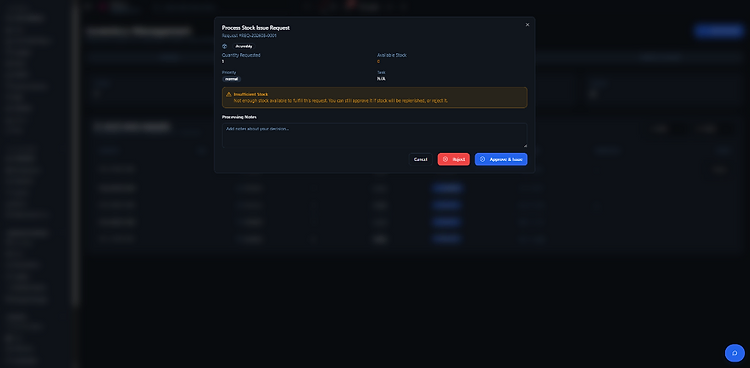
Process an issue request
See quantity requested, available stock, and priority. Insufficient stock triggers a warning — you can still approve if stock is coming, or reject with notes.

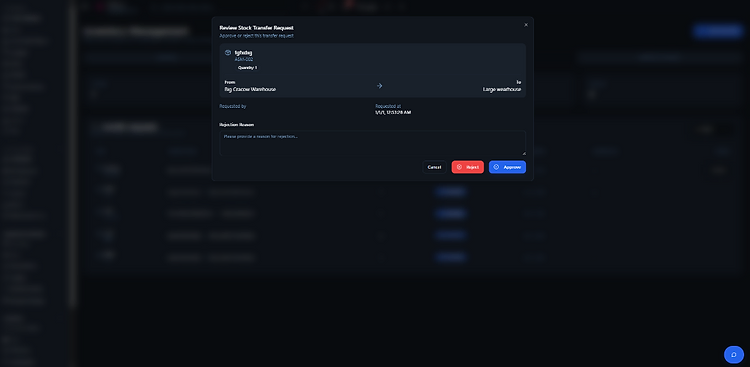
Review a transfer
View the from/to path, quantity, and requester. Approve to move the stock, or reject with a reason — every decision recorded against the item.

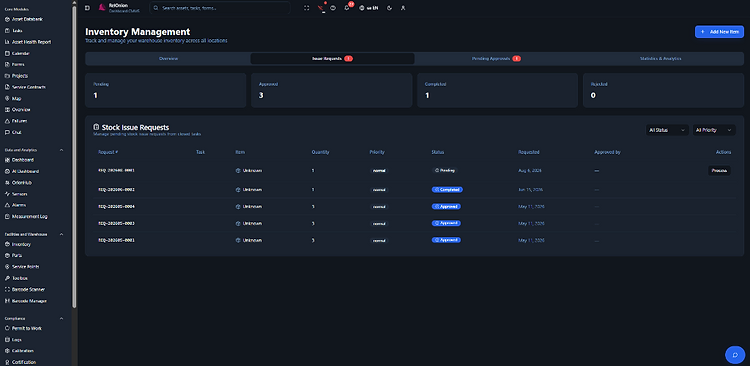
The requests queue
Pending, approved, completed, and rejected requests in one view — with notification badges on the tabs. Filter by status and priority, then process each request with one click. Every issue links back to the task that needed it.

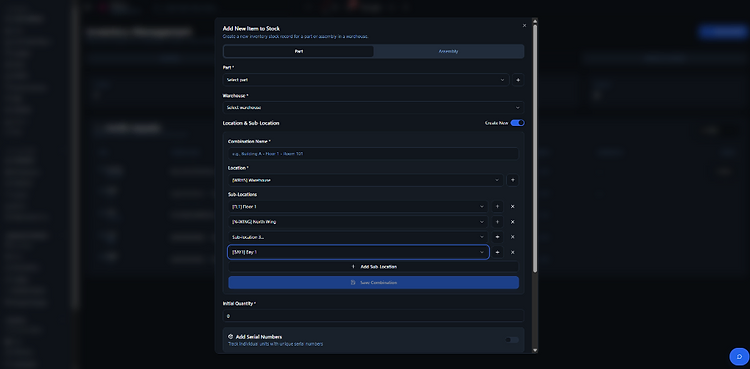
Add new items
Create a stock record for a part or assembly. Build a location combination — warehouse, location, and sub-locations — and toggle serial tracking on to register individual units.
- Parts or assemblies, per warehouse
- Location combos with sub-locations
- Serial-number tracking per unit
See where your capital sits.
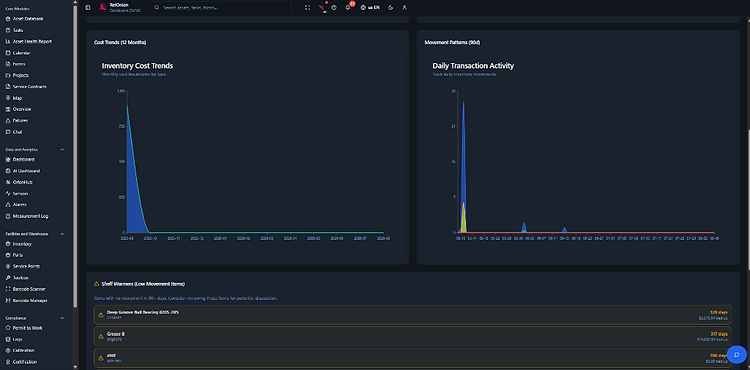
Cost trends, transaction volume, shelf warmers, and key metrics — so you can free up capital and keep high-traffic items in stock.


Shelf warmers
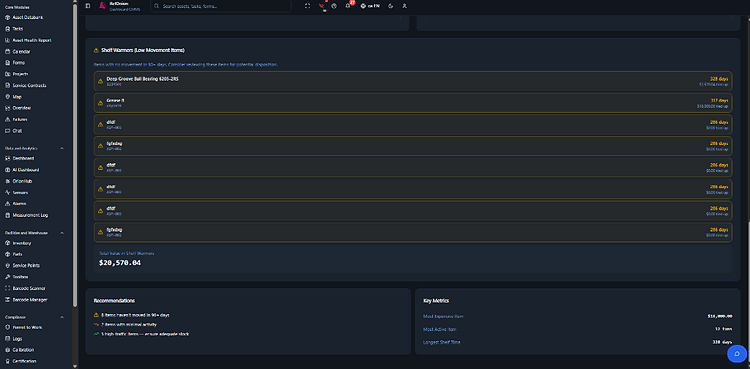
Items with no movement in 90+ days, ranked by days idle and capital tied up. The list that turns your warehouse from a cost into a saving.

Recommendations & key metrics
Plain-English recommendations — items to review, low-activity stock, and high-traffic items to keep stocked. Plus the headline numbers: most expensive item, most active item, longest shelf time.

The warehouse, under control.
See how RelOnion tracks every part, every serial, and every move — with low-stock alarms and analytics that free up capital.
Book a Demo