

Checklists that can't be skipped.
RelOnion's Forms module replaces paper checklists with structured digital forms — enforced, photo-evidenced, and AI-generated. From safety inspections to weekly PMs, every form is a permanent, audit-ready record.


No more pencil-whipping
Required fields, photo evidence, and sign-off steps are enforced. The form won't submit without real proof of work.
Audit-ready records
Every submission is stored against the task and asset, with timestamp, technician, and location. Permanent and traceable.
AI builds them for you
Don't start from a blank page. Ask the AI for a checklist and convert it to a form in one click.
What the Forms module does
Digital forms that enforce completion, capture evidence, and build themselves with AI.
Digital forms & checklists
Replace paper checklists with structured digital forms. Text, numbers, checkboxes, photos, signatures — every field type your team needs.
AI-generated forms
Ask the AI Help Assistant for a checklist — a weekly PM, a safety inspection, a commissioning checklist — and it builds the form for you, one click away from the Forms module.
Reusable templates
Turn any completed form into a template. Clone it across assets, tasks, or plants. Build once, deploy everywhere.
Attached to tasks & assets
Link forms to task types and assets. A lube round automatically carries its checklist. An inspection auto-loads its form. No manual attach.
Enforced completion
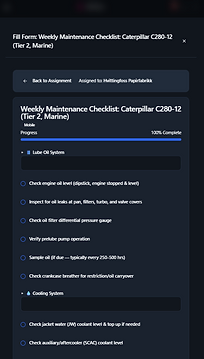
Required fields, sign-off steps, and photo evidence are enforced on mobile. No more pencil-whipped checklists — the form won't submit without proof.
Submission history
Every form submission is stored against the task and asset. Compare this week's inspection to last month's — trend the findings over time.
A builder for any form you need
Drag, drop, and configure every field type — from text and checkboxes to risk matrices, signatures, and live sensor readings. Link forms to sensors, tasks, and permits. The form builder is the connective tissue of your reliability program.

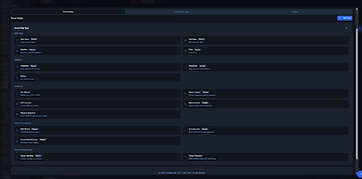


Every field type
Text, number, date, checkbox, dropdown, rating, file upload, photo capture, GPS, measurement, signature, risk matrix, attendee list, hazard ID — and sensor fields. Build any form.
Turn forms into data collectors
Link a form to live sensors and it becomes a data collection point. Or make the form itself a sensor point for manual data entry — readings logged straight into the trend history.
Linked across the system
Forms attach to tasks, permits to work, assets, and work orders. A PM carries its checklist. A permit carries its risk assessment. Everything connected, everything traceable.

Generate a checklist with AI
Ask the AI Help Assistant for a maintenance checklist — a marine engine, a conveyor, a pump — and it returns a structured form grouped by system, ready to use.

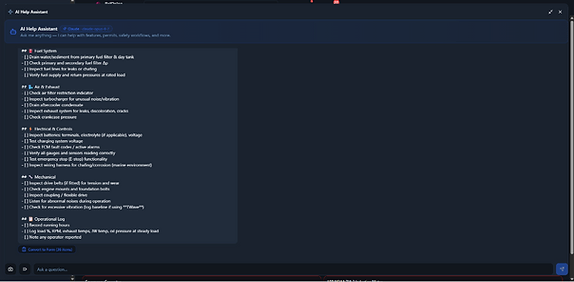
Structured by system
The generated checklist covers every system — lube oil, cooling, fuel, air, electrical, mechanical — with individual checkboxes for each inspection point.

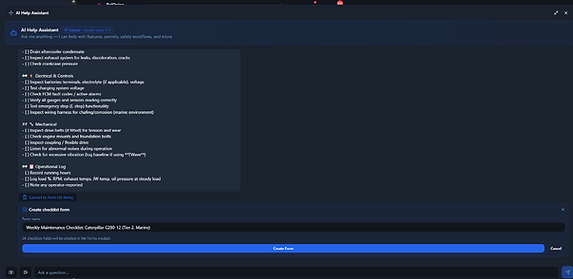
Convert to Form, one click
Beneath any generated checklist, a single button converts the entire list into a form in the Forms module — pre-named, with every checkbox field created for you.
Forms in the field
Browse templates, pull up a sensor trend, and complete a data collection form — right on the floor.

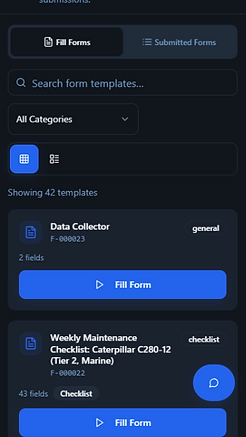
Fill forms on mobile
Browse 42 templates, filter by category, and open any form — all from the phone.

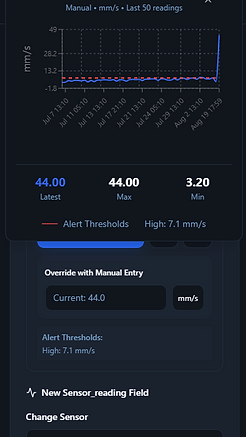
Sensor trend inside a form
A live sensor trend chart with alert thresholds, opened straight from the form field.

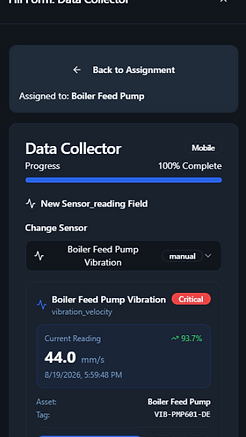
Data collector form
Complete a data-collection form step by step — readings, metadata, and progress tracking.

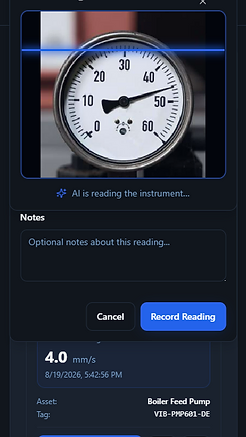
AI scans the gauge
Point the camera at an analog instrument and the AI reads the needle — logging the value straight into the form field.
Forms on the desktop
The full module on desktop — template gallery, submission history, and the form builder.


Fill Forms — template gallery
The desktop template gallery: search, filter by category, and fill any form in one click.

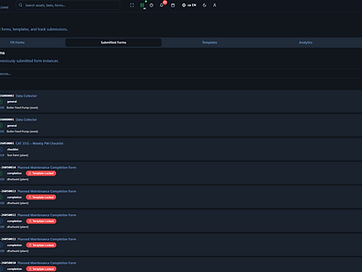
Submitted Forms — history
Every submission tracked by status — completed, in progress — with view and edit actions.

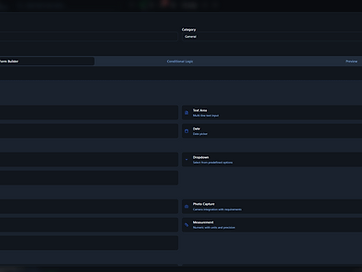
Create Template — form builder
Build any form with text, number, checkbox, dropdown, photo, GPS, measurement, and signature fields.
Forms that work where the work happens
Technicians complete forms step by step on mobile — checkboxes, photos, signatures, and readings. Required fields enforced. Works offline.
- Step-by-step checklist completion
- Photo evidence and signatures
- Required fields enforced
- Works offline, syncs when reconnected


Forms that prove the work was done.
See how RelOnion's Forms module replaces paper checklists with enforced, AI-generated, audit-ready digital records.
Book a Demo